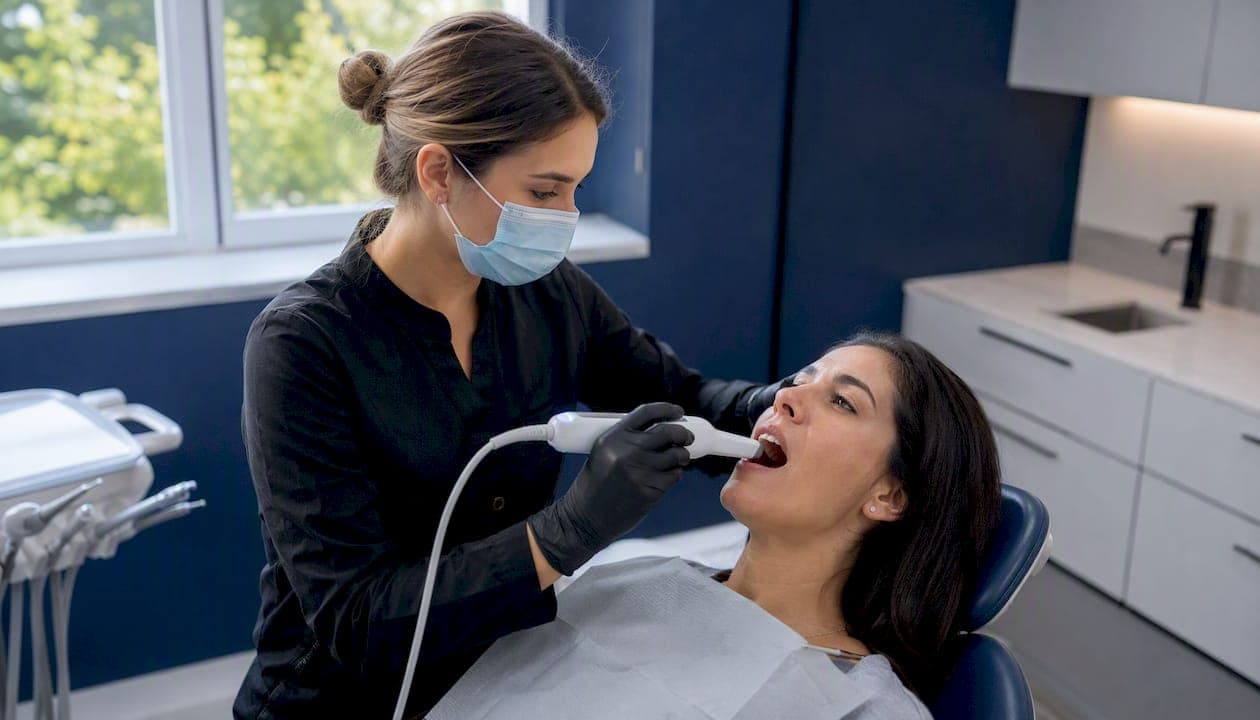
For most U.S. dental practices, the right intraoral scanner comes down to three variables: how you plan to use it, which labs and software you already work with, and whether you want an open or closed digital ecosystem. An intraoral scanner is a handheld device that captures real-time 3D geometry of teeth and soft tissue, replacing traditional PVS impressions for crowns, bridges, veneers, implant planning, clear aligners, and occlusal splints.
Quick shortlist by practice profile:
- Solo GP or generalist: Medit i500/i700 or Carestream CS 3700 — open STL export, lower entry cost, no mandatory per-scan fees
- Implant-focused practice: 3Shape TRIOS 5/6 or DEXIS Imprevo — AI-assisted alignment and high depth-of-field for surgical guide workflows
- Ortho-heavy or aligner-focused: iTero Lumina or iTero Element series — large field of view, native Invisalign integration
- Chairside CAD/CAM (same-day crowns): Dentsply Sirona Primescan family — native CEREC integration, acquisition center hardware
Key Takeaways
Digital impressions consistently outperform traditional PVS impressions on first-fit rates, lab turnaround, and patient communication, but the scanner that delivers those gains is the one that fits your workflow, not the one with the highest spec sheet numbers.
| Point | Details |
|---|---|
| Match scanner to practice profile | Solo GPs benefit from open-ecosystem options like Medit; implant specialists gain most from AI-assisted or high-depth-of-field devices. |
| Open STL export is non-negotiable | Confirm you can export files to any lab without a per-export fee before signing a purchase agreement. |
| Evaluate total cost of ownership | Hardware price is only part of the cost; add annual software subscriptions, tips/sleeves, and service over 5 years. |
| Technique beats specs | Rescan rate and first-fit rate are the KPIs that matter; consistent operator protocol drives both more than headline frame rates. |
| Dc-dentistry uses digital scanning | At Dc-dentistry in Washington, DC, intraoral scanning supports implant, cosmetic, and aligner workflows with same-day appointments available. |
Table of Contents
- How do leading intraoral scanners compare?
- How to choose an intraoral scanner for your practice
- How does an intraoral scanner capture 3D data?
- Where are intraoral scanners used clinically?
- What does an intraoral scanner cost, and when does it pay off?
- Daily use, sterilization, and staff training
- Integrating a scanner into implant and cosmetic workflows
- What scanner should you buy? A short verdict
- Why intraoral scanning changed how we practice
- Dc-dentistry brings digital scanning to Washington, DC patients
- Sources
How do leading intraoral scanners compare?
The table below covers the six scanner families that consistently appear at the top of U.S. procurement shortlists. Vendor accuracy claims should always be verified against independent peer-reviewed comparisons, since device-to-device variability in trueness and precision is real and protocol-dependent.
| Scanner | Clinical accuracy / indications | Full-arch speed | Wand ergonomics | Ecosystem / STL export | CAD/CAM & lab integration | Color capture | Typical new price | Recurring costs | U.S. service & training | Wireless |
|---|---|---|---|---|---|---|---|---|---|---|
| 3Shape TRIOS 5/6 | High trueness claimed; restorative, implant, ortho, splints | Fast; AI-assisted stitching reduces rescans | Lightweight, closed-tip, single-use sleeves | Open STL; TRIOS ecosystem; broad lab portal support | exocad, 3Shape Design, lab portals; CBCT overlay | Yes (color + texture) | $$$ | Annual software subscription | Strong U.S. rep network; certified training | TRIOS 6 wireless; TRIOS 5 wired |
| Dentsply Sirona Primescan / Primescan 2 / Primescan Connect | High; restorative, implant, ortho | Fast; closed-tip acquisition center option | Compact wand; closed scanning window | Closed cloud (DS Core); STL export available | Native CEREC; DS Core platform; lab portals | Yes | $$$$ | DS Core subscription; CEREC license | Extensive U.S. network; Dentsply Sirona Academy | Primescan Connect wireless |
| Align iTero Lumina / Element series | High full-jaw accuracy (manufacturer bench testing); ortho, restorative | Fast; large field of view simplifies capture | Mid-weight; larger tip | Closed; Invisalign portal native; STL export | Invisalign, select lab portals; limited open CAD | Yes (color) | $$$ | iTero subscription | U.S. Align reps; online training | Element 5D Plus wireless option |
| Medit i500 / i700 | Clinically adequate; restorative, ortho, implant | Competitive; i700 faster than i500 | Lightweight; compact tip | Open STL/OBJ; no mandatory export fee | exocad, Medit Link, broad lab compatibility | i700 color; i500 limited | $$ | Low or no recurring fee (model-dependent) | Growing U.S. support; online resources | i700 wireless available |
| DEXIS Imprevo | High; deep preps, tight interproximal, restorative, implant | High FPS (40 FPS); 25 mm depth of field | Compact; dual-sensor design | Open STL; DEXIS ecosystem | DEXIS platform; lab portals; CBCT integration | Yes | $$$ | DEXIS subscription | U.S. DEXIS reps; training available | Wired |
| Carestream CS 3700 | Clinically adequate; restorative, ortho | Moderate | Standard wand | Open STL | Carestream imaging portfolio; lab portals | Yes (color) | $$ | Subscription or one-time (model-dependent) | U.S. Carestream network | Wired |
Best for / tradeoffs at a glance:
- 3Shape TRIOS 5/6: Best for practices that want ergonomics, AI-assisted scanning, and broad open-ecosystem lab compatibility. Tradeoff: annual subscription required.
- Primescan family: Best for practices adding in-office CEREC milling. Tradeoff: DS Core platform is largely closed; higher entry cost.
- iTero Lumina/Element: Best for ortho-heavy practices and Invisalign providers. Tradeoff: limited open CAD compatibility outside the Align ecosystem.
- Medit i500/i700: Best for practices prioritizing open STL export and keeping recurring costs low. Tradeoff: fewer premium AI-assisted features than top-tier options.
- DEXIS Imprevo: Best for clinics scanning many deep preps or challenging interproximal spaces. Tradeoff: newer entrant with a smaller installed base.
- Carestream CS 3700: Best for offices already in the Carestream imaging ecosystem. Tradeoff: scan speed and feature set trail the premium tier.
Before committing, request a hands-on demo with your own cases. Most U.S. reps will schedule a trial scan session at your practice or a local training center.
How to choose an intraoral scanner for your practice
Accuracy numbers in vendor brochures rarely tell the whole story. Scanner accuracy varies by device and scanning protocol, so the evaluation process matters as much as the spec sheet.
Evaluation checklist:
- Clinical accuracy: Ask for trueness and precision data from independent peer-reviewed studies, not just manufacturer bench tests. Request the ADA/ANSI 132 testing methodology and results.
- Full-arch performance: Single-tooth trueness and full-arch trueness diverge significantly across devices. Test a full-arch scan on a patient or typodont during the demo.
- Tip size and access: Narrow tips improve access in posterior regions and pediatric cases. Closed-tip designs with single-use sleeves simplify infection control.
- Scan speed: Speed matters less than rescan rate. A fast scanner that requires frequent rescans costs more chair time than a moderate scanner with a reliable first-pass.
- Color and shade capture: Relevant for cosmetic workflows. Verify whether color capture is included or an add-on.
- Open vs. closed file export: Can you export STL, PLY, or OBJ without a per-export fee? This is the single most important long-term cost question for multi-lab practices.
- CAD/CAM and lab compatibility: Confirm compatibility with exocad, CEREC, your primary lab's portal, and any in-office milling unit.
- CBCT integration: Does the scanner support DICOM overlay for virtual patient workflows?
- Service and training: Verify local U.S. rep availability, warranty terms, and what happens if the wand fails mid-case.
- Subscription and licensing terms: Understand what you lose if you stop paying the annual fee. Some platforms lock scan data or disable STL export.
- Data ownership: Confirm you own your scan files and can export them at any time.
Questions to bring to every demo:
- "Can I export STL without an ongoing export fee?"
- "Do you support my primary lab's portal directly?"
- "What is your demonstrated full-arch trueness under ADA/ANSI 132 testing?"
- "What is covered under warranty, and what is the average repair turnaround?"
- "Is there a local U.S. trainer or rep I can call when staff turn over?"
Red flags:
- Mandatory per-scan fees for STL export
- Opaque warranty coverage with no published SLA
- No U.S.-based training or support staff
- Inability to export open file formats after subscription lapses
- Vendor refuses to share independent accuracy study data
Trust signals to verify:
- FDA 510(k) clearance or marketed status in the U.S.
- Published peer-reviewed accuracy comparisons (not just manufacturer white papers)
- Local training options and a certified pre-owned program with documented calibration history
How does an intraoral scanner capture 3D data?
The scanner wand projects a light source (structured light, laser, or multi-wavelength LED) onto tooth and soft-tissue surfaces. Onboard cameras capture the reflected pattern from multiple angles simultaneously, and the processor reconstructs a 3D mesh in real time on the connected screen or workstation. The two dominant optical approaches in current clinical devices are structured light projection (used in most premium scanners) and confocal imaging (used in some Primescan variants). Some devices add stereophotogrammetry for implant-level accuracy at wider spans.
Key technical terms worth understanding before you read a spec sheet:
- Trueness: How close the scan is to the actual geometry of the tooth. Measured in micrometers (µm); lower is better.
- Precision: How reproducible the scan is across repeated captures of the same object. A scanner can be precise but not true, or vice versa.
- Field of view (FOV): The area captured in a single frame. A larger FOV, like the one iTero Lumina claims, means fewer passes to cover a full arch.
- Depth of field: How much vertical range the camera captures in focus. DEXIS Imprevo's claimed 25 mm depth of field is specifically designed for deep preps and subgingival margins.
- Mesh density: The number of data points per unit area. Higher density captures fine margin detail but increases file size and processing time.
- Stitching: The software process that aligns overlapping frames into a single continuous model. AI-assisted stitching, as in 3Shape's ScanAssist, reduces drift errors on long-span scans.
- Calibration: Some scanners require periodic calibration to maintain accuracy; others (like TRIOS 5) claim calibration-free operation.
How CBCT and IOS data combine: When you register an intraoral scan with a CBCT volume, the result is a "virtual patient" that overlays soft-tissue and crown geometry onto bone anatomy. CBCT provides multiplanar 3D imaging of craniofacial structures and is combined with IOS data for implant and surgical planning. This workflow is standard for implant surgical guide fabrication and complex full-arch prosthetic planning.
Accuracy limits to know: Saliva, blood, and highly reflective metal restorations all degrade scan quality. Full-arch scans accumulate more stitching error than single-tooth scans, and prosthodontic workflows have specific accuracy expectations for first-fit restorations that not every scanner meets at full-arch span.
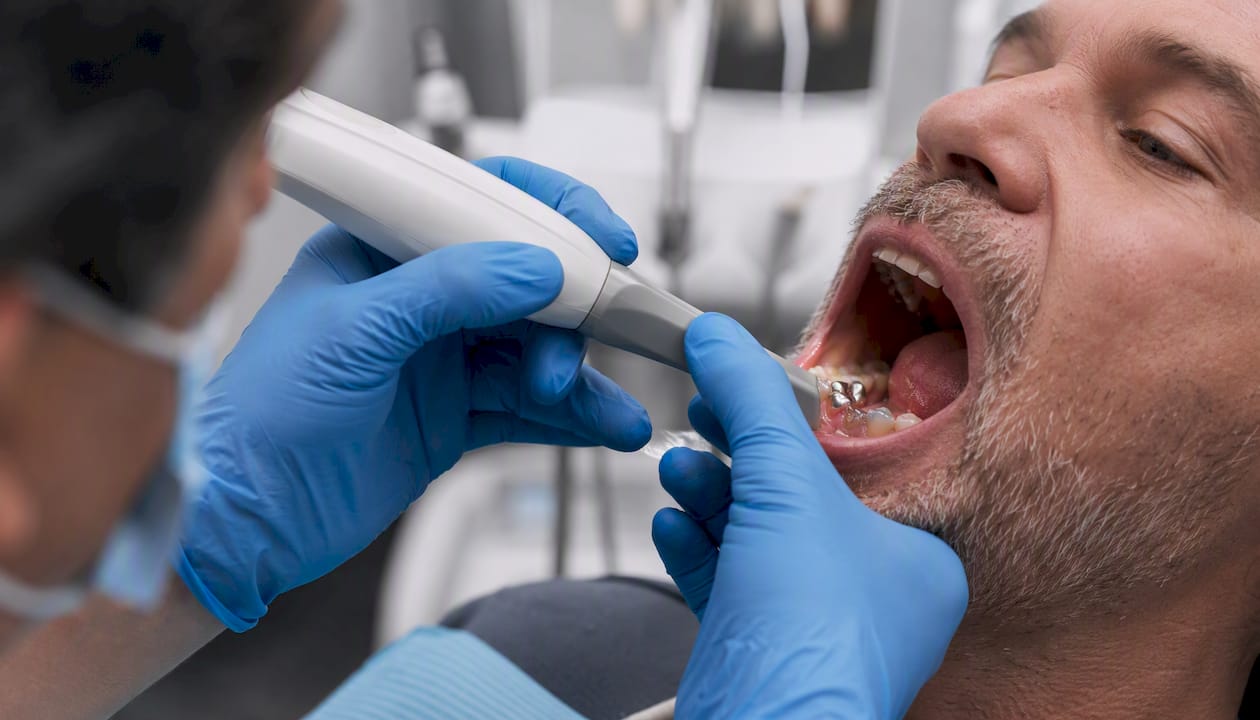
Pro Tip: For metal crowns or implant abutments, use angled capture passes at 45° rather than straight-on approaches, and apply a light scan spray if the surface is highly reflective. Experienced operators handle these areas with multiple overlapping captures rather than relying on the scanner's nominal accuracy figure.
Where are intraoral scanners used clinically?
The short answer: almost anywhere you currently take a traditional impression, plus several workflows that impressions cannot support at all.
Core clinical indications:
- Single crowns and inlays/onlays: The most common use case. Digital scans eliminate distortion from impression material and reduce lab remakes.
- Multi-unit bridges: Accuracy requirements increase with span length. Verify full-arch trueness data for any scanner you plan to use for 4+ unit bridges.
- Implant impressions and surgical guides: Scan bodies placed on implant fixtures allow the scanner to capture implant position for crown design. Combined with CBCT, the same data drives surgical guide fabrication.
- Full-arch prosthetics and edentulous scans: Challenging due to the absence of stable reference anatomy. Some scanners handle this better than others; ask specifically about edentulous protocols during demos.
- Orthodontic records and clear aligner workflows: iTero's native Invisalign integration is the most direct path, but 3Shape TRIOS and Medit both support aligner workflows through open STL export to Invisalign and other providers. Clear aligner treatment at Dc-dentistry uses digital scans to improve treatment predictability and patient communication.
- Sleep appliances and occlusal splints: Bite registration and arch scans replace stone models for most lab-fabricated appliance workflows.
Digital workflow integration:
Linking a scanner to a full digital workflow means connecting it to at least three downstream systems: a CBCT unit (for implant and surgical cases), a CAD design package (exocad, 3Shape Dental System, or CEREC), and your lab's portal or in-office milling unit. Integrating IOS with CBCT and CAD software creates a virtual patient that improves predictability for complex implant and surgical workflows.
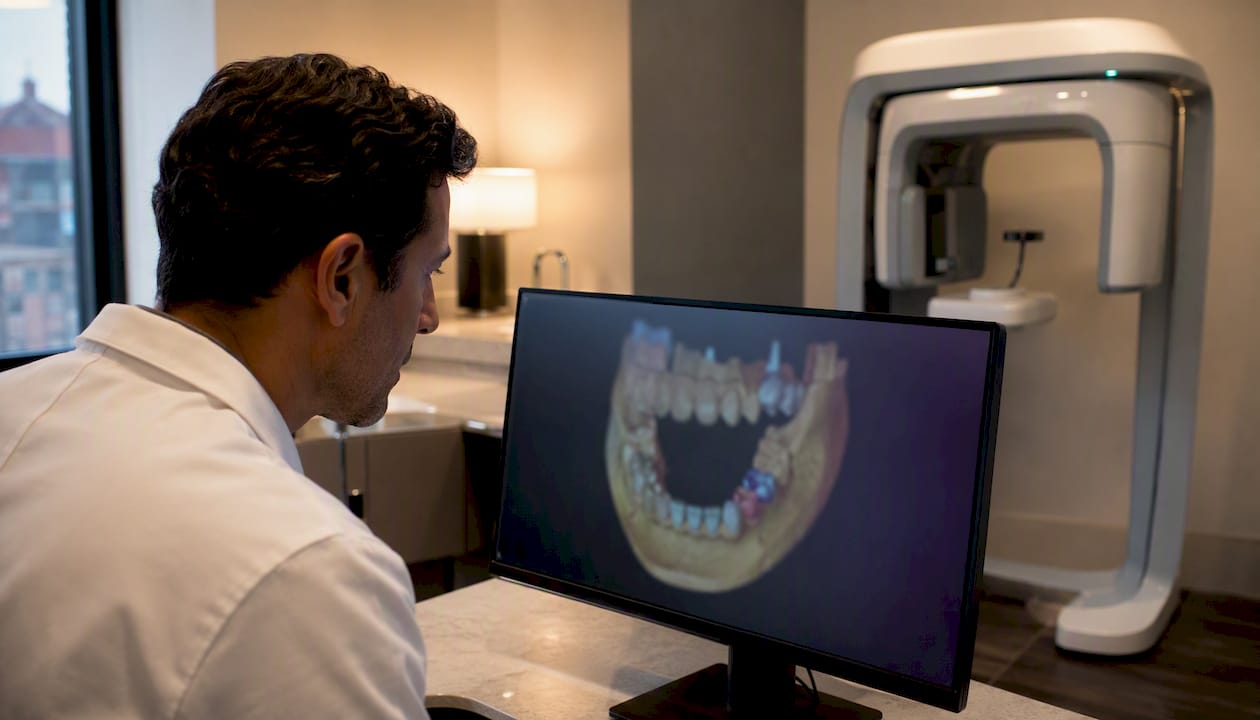
Delegation: Most of the scanning itself can be delegated to a trained dental assistant in states where expanded-duty functions are permitted. The clinician typically reviews the scan, approves margins, and sends the file. Delegation reduces chair time and increases scanner utilization, which directly affects ROI.
Lab file handoff: Most labs accept STL as the standard format. Confirm your lab's preferred format before purchase. Some labs have direct portal integrations with 3Shape or Medit that streamline case submission and reduce email back-and-forth.
What does an intraoral scanner cost, and when does it pay off?
Price bands in the U.S. market break into three tiers:
Entry-level ($8,000–$15,000 new): Medit i500 and Carestream CS 3700 sit here. Open STL export, adequate accuracy for restorative and ortho, lower recurring costs. Certified pre-owned units from this tier are widely available and often the right starting point for a practice adding digital impressions for the first time.
Mid-range ($15,000–$25,000 new): DEXIS Imprevo, Medit i700, and some TRIOS configurations fall in this band. Better full-arch performance, color capture, and more robust software ecosystems. Pre-owned availability is growing as early adopters upgrade.
Premium ($25,000–$40,000+ new): 3Shape TRIOS 6, Dentsply Sirona Primescan 2, and iTero Lumina. AI-assisted features, wireless options, and deeper ecosystem integration. Recurring software subscriptions add a variable annual cost depending on the platform.
A simple ROI framework: If your practice currently takes 10 traditional impressions per week at an average lab fee of $150 per case, and digital scanning reduces lab remakes by even 15%, that is roughly $1,170 in annual remake savings alone. Add the time saved per case (typically 5–10 minutes of chair time versus PVS impressions, plus no retake for distorted impressions), and the math improves further. Practices that delegate scanning to an assistant and use the freed chair time for an additional procedure per week can recover scanner cost within 12–24 months at moderate case volume.
Leasing vs. purchase: Leasing spreads capital cost and may include software subscriptions in the monthly payment. Purchase gives you full ownership and avoids interest, but recurring software fees still apply on most platforms. Ask vendors for a total cost of ownership estimate over 5 years, including software, tips/sleeves, and one service call.
Pre-owned red flags: Before buying a used scanner, verify calibration history, tip/sleeve availability for that model, whether the firmware version is still supported, and whether the software license is transferable. Some vendors void warranties on transferred units.
Daily use, sterilization, and staff training
Consistent scan quality comes from consistent protocols, not from the scanner's headline specs. A reliable daily routine prevents the most common causes of downtime and poor scan quality.
Daily maintenance:
- Inspect the wand tip or sleeve for cracks or contamination before each patient.
- Wipe the wand body with an approved disinfectant wipe (follow the manufacturer's IFU for compatible agents).
- Replace single-use sleeves between every patient; never reuse.
- Check battery charge level (wireless models) and dock after each session.
- Confirm the software is connected to the cloud or local server before starting the day's first scan.
Weekly:
- Run the manufacturer's recommended calibration check if the device requires it.
- Review the week's rescan rate. A rescan rate above 10–15% signals a technique or protocol problem, not a hardware problem.
- Clean the charging dock contacts and cable connections.
Monthly:
- Check for software and firmware updates and schedule installation during non-clinical hours.
- Audit tip/sleeve inventory and reorder before stock drops below a two-week supply.
- Review scan time metrics per operator to identify training gaps.
Staff training checklist (numbered for onboarding):
- Complete the manufacturer's online or in-person certification course before clinical use.
- Practice on a typodont for a minimum of 20 full-arch scans before scanning patients.
- Shadow a proficient operator for 10 patient scans before scanning independently.
- Track rescan rate and average scan time for the first 30 patient scans; review with the supervising clinician.
- Complete a refresher module after any major software update.
- Document delegation scope per your state's expanded-duty regulations.
Pro Tip: Control the environment before you control the scanner. Retract cheeks and tongue with a standard retractor, use a saliva ejector throughout the scan, and keep the wand moving in a consistent path (occlusal, buccal, lingual) rather than pausing on a single surface. Pausing causes the scanner to lose tracking and forces a rescan. Consistent technique matters more than scan speed.
Integrating a scanner into implant and cosmetic workflows
Practices that get the most measurable value from an intraoral scanner treat it as a workflow tool, not just an impression substitute.
Measurable outcomes practices track after adoption:
- Rescan rate: Target below 10%. High rescan rates signal training gaps or protocol problems.
- First-fit rate: The percentage of restorations that seat without adjustment at delivery. Digital workflows consistently improve first-fit rates compared to traditional impressions, particularly for single crowns.
- Case acceptance rate for cosmetic cases: Showing patients a real-time 3D model of their dentition during the consultation increases engagement and acceptance for cosmetic treatments including veneers and smile makeovers.
- Lab remake rate: Track by case type (crown, bridge, implant crown) to identify where digital impressions are delivering the most value.
- Chair time per impression: Compare pre- and post-adoption averages. Most practices see a reduction of 5–10 minutes per case once the team reaches proficiency.
Virtual patient workflow for implant cases:
The most clinically powerful use of an intraoral scanner is combining it with CBCT data to plan implant restorations with full anatomical context. The IOS captures crown geometry and soft tissue; the CBCT captures bone volume and nerve position. Registered together in software like exocad or 3Shape Implant Studio, the combined dataset drives surgical guide design and prosthetic planning before a single incision is made.
"Integrating IOS with CBCT and CAD design software to create a virtual patient improves predictability for complex surgeries and implants — multiplanar planning and virtual patient workflows enable clinicians to anticipate anatomical challenges before the procedure begins." (PMC digital dentistry integration)
Pro Tip: For cosmetic cases, capture a color scan at the start of the appointment before any retraction or drying. Retracted, dried tissue looks different from the natural state, and color capture under those conditions produces shade data that does not match the patient's actual appearance. A pre-retraction color scan gives the lab a more accurate reference.
What scanner should you buy? A short verdict
The right choice depends on your practice's primary case mix, not on which scanner has the highest frame rate.
Next steps:
- Shortlist 2–3 models based on your primary indications (restorative, implant, ortho) and your existing lab and software relationships.
- Schedule hands-on demos with your own cases or a typodont. A demo on a model provided by the vendor tells you very little about real-world performance.
- Verify open file export before signing anything. Ask specifically: "Can I export STL to any lab without a per-export fee, and does that remain true if I let my subscription lapse?"
- Request a total cost of ownership estimate over 5 years, including hardware, software subscriptions, tips/sleeves, and one service event.
One-sentence recommendations by practice profile:
- Solo GP: Medit i700 gives you open STL, color capture, wireless, and low recurring costs without locking you into a closed ecosystem.
- Implant specialist: 3Shape TRIOS 5 or DEXIS Imprevo, depending on whether you prioritize AI-assisted stitching or depth-of-field performance for deep preps.
- Ortho-focused practice: iTero Lumina if Invisalign is your primary aligner partner; TRIOS 5 if you work with multiple aligner providers and need open export.
- High-volume cosmetic practice: 3Shape TRIOS 6 (wireless, color, AI-assisted) or Primescan 2 if you plan to add chairside milling.
Why intraoral scanning changed how we practice
The shift from PVS impressions to digital scanning at Dc-dentistry was not primarily about speed. The real change was in patient communication. When a patient can see a rotating 3D model of their own dentition on a screen during the consultation, the conversation about treatment options becomes concrete rather than abstract. Case acceptance for implant and cosmetic work improved noticeably once patients could visualize the problem and the proposed solution in the same appointment.
One practical tip from our rollout: train your front desk alongside your clinical staff. When the team member scheduling the appointment can explain what a digital scan involves, patients arrive prepared rather than surprised. That single change reduced appointment anxiety and shortened the scan appointment itself.
Dc-dentistry brings digital scanning to Washington, DC patients
If you are a patient in Washington, DC weighing treatment options that depend on precise digital impressions, including dental implants, implant-supported dentures, or full mouth reconstruction, Dc-dentistry offers the same advanced 3D scanning technology described throughout this guide, delivered in a single Washington, DC location with same-day appointments available.
Dr. Kambez Shukoor, a U.S. Navy veteran with over 200 five-star patient reviews, leads a practice that integrates digital scanning into implant, cosmetic, and aligner workflows. Patients see their own 3D scan during the consultation, which makes treatment planning concrete and collaborative rather than abstract. Financing through CareCredit and Lending Tree is available for higher-cost procedures.
To see how digital impressions can change your treatment experience, schedule a consultation at Dc-dentistry today.
This article is general information, not a substitute for advice from a qualified doctor. Consult a qualified healthcare professional about your own circumstances before acting on anything here.
Sources
Independent peer-reviewed literature gives you a more reliable accuracy picture than vendor white papers. The sources below are the strongest neutral references for evaluating scanner claims:
- Journal of the American Dental Association (JADA) article
- Intraoral scanners: Mechanism, Applications, Advantages and Limitations (PMC review)
- Doi
A note on vendor pages: Manufacturer product pages (3Shape, Dentsply Sirona, Align, Medit, DEXIS, Carestream) are useful for current specifications, demo scheduling, and certified pre-owned programs. They are not independent accuracy sources. Always cross-reference vendor claims against the peer-reviewed literature above before making a purchasing decision.